

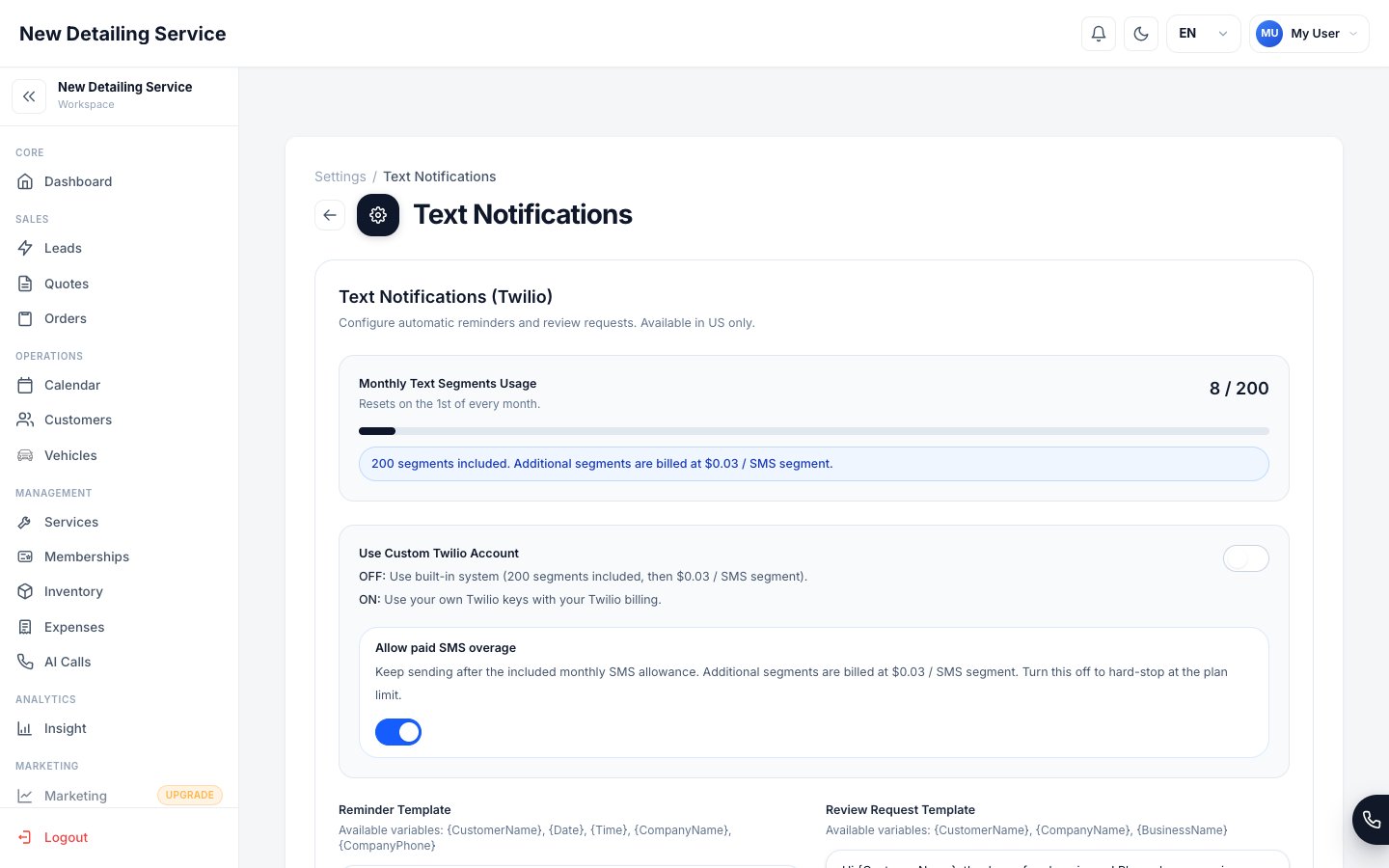
Text Notifications settings — monthly usage, reminder template, review request template, and optional custom Twilio for SMS.
The two message templates
Appointment reminder
Sent before a scheduled job to reduce no-shows. Customize it with the customer’s name, appointment date and time, and your business contact details. Available variables:
Example:
Review request
Sent after a job is complete to request a Google or Yelp review. Use this to build your online reputation automatically after every job. Available variables:
Example:
SMS usage and limits
The CRM includes a built-in SMS allowance:- 100 text segments per month included in the plan
- Each standard SMS message = 1 segment (up to 160 characters)
- Messages over 160 characters or with special characters split into multiple segments
Unicode characters like emojis, accented letters, or Cyrillic reduce the segment character limit significantly (from 160 to 70 per segment). Keep templates in standard English characters to maximize your segment efficiency.
Using your own Twilio account
If your business needs more than 100 segments per month, or if you want full control over your SMS sender identity and billing, you can connect your own Twilio account.1
Open Text Notifications settings
Go to Settings → Text Notifications.
2
Enable custom Twilio
Toggle on Use Custom Twilio and enter your credentials:
3
Save and test
Save your credentials. Send a test message from an order to confirm your Twilio number is working correctly.
Configuring your templates
1
Open Text Notifications settings
Go to Settings → Text Notifications.
2
Edit the reminder template
Write your appointment reminder message. Use the variables from the table above. Preview the character count to estimate your segment usage.
3
Edit the review request template
Write your post-job review request. Add your Google or Yelp review link where appropriate.
4
Save
Save both templates. They take effect immediately for any new messages sent from orders.
Orders
Send reminders and review requests from inside an order record.
AI Voice Assistant
Set up call handling separately from SMS notification templates.
Text Messaging & Consent
Consent, opt-outs, and your responsibilities.