

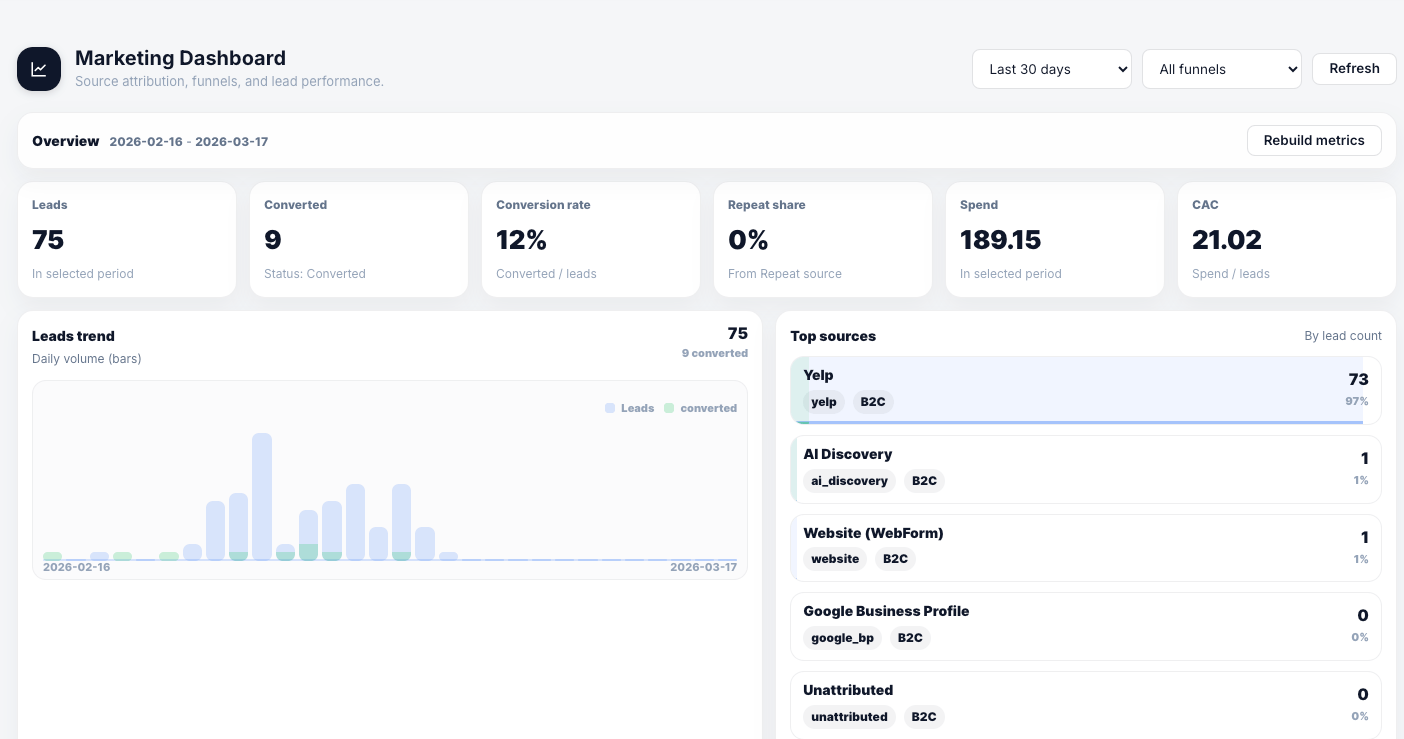
Marketing Dashboard
The dashboard gives you a real-time picture of your marketing performance for any time period.
The Leads Trend chart shows daily lead volume as bars with conversions overlaid in a contrasting color — useful for spotting which days and campaigns are driving activity.
The Top Sources panel ranks your channels by lead count, showing each source’s name, category tag, funnel type, and share of total leads.
Sources
Sources are the channels that generate your leads — Yelp, Google Ads, Google Business Profile, Instagram, Facebook, referrals, repeat customers, or any custom source your business uses. For each source you can record:Attribution tokens
Each source has a unique attribution token — a URL parameter you add to your landing pages or booking links. When a lead comes in through a URL with that token, the CRM automatically assigns the correct source without any manual entry. To use attribution tokens:- Open a source in Marketing → Sources
- Copy the active token
- Add it as a URL parameter to your campaign links:
?ref=YOUR_TOKEN - Rotate the token if you ever need to invalidate old links
Campaigns
Campaigns group spend entries and leads under a shared name, letting you track performance at the campaign level rather than just the source level.Spend tracking
Log your advertising and marketing spend to calculate accurate CAC and ROI. Each spend entry captures:
Once spend is logged, the dashboard calculates CAC automatically for any date range you select.
How attribution flows
When a lead arrives through a tracked booking link or website form, the CRM stores the source information on the lead record. For a lead you add manually, choose a source when you want attribution; otherwise the lead remains unattributed. Attribution persists through conversion:- Lead created with source, UTM parameters, GCLID, or FBCLID captured
- Lead converted to customer — attribution transfers to the customer record
- Orders created from that customer — sourced back to the original channel in reports
Best practices
- Standardize source names before your team starts adding leads manually. Inconsistent naming (e.g., “Google,” “Google Ads,” “Google AdWords”) splits your data and makes reports unreliable.
- Log spend consistently — even rough weekly entries give you meaningful CAC data over time
- Use external references to link CRM campaigns to Google Ads or Meta campaign IDs for easy cross-referencing
Leads
Manage the inbound leads that marketing attribution flows through.
Website leads
Set up lead capture forms for your website with automatic source attribution.
Insights
See the Order Sources report to connect marketing attribution to revenue.
Online Booking
Configure UTM-based attribution on your online booking link.