

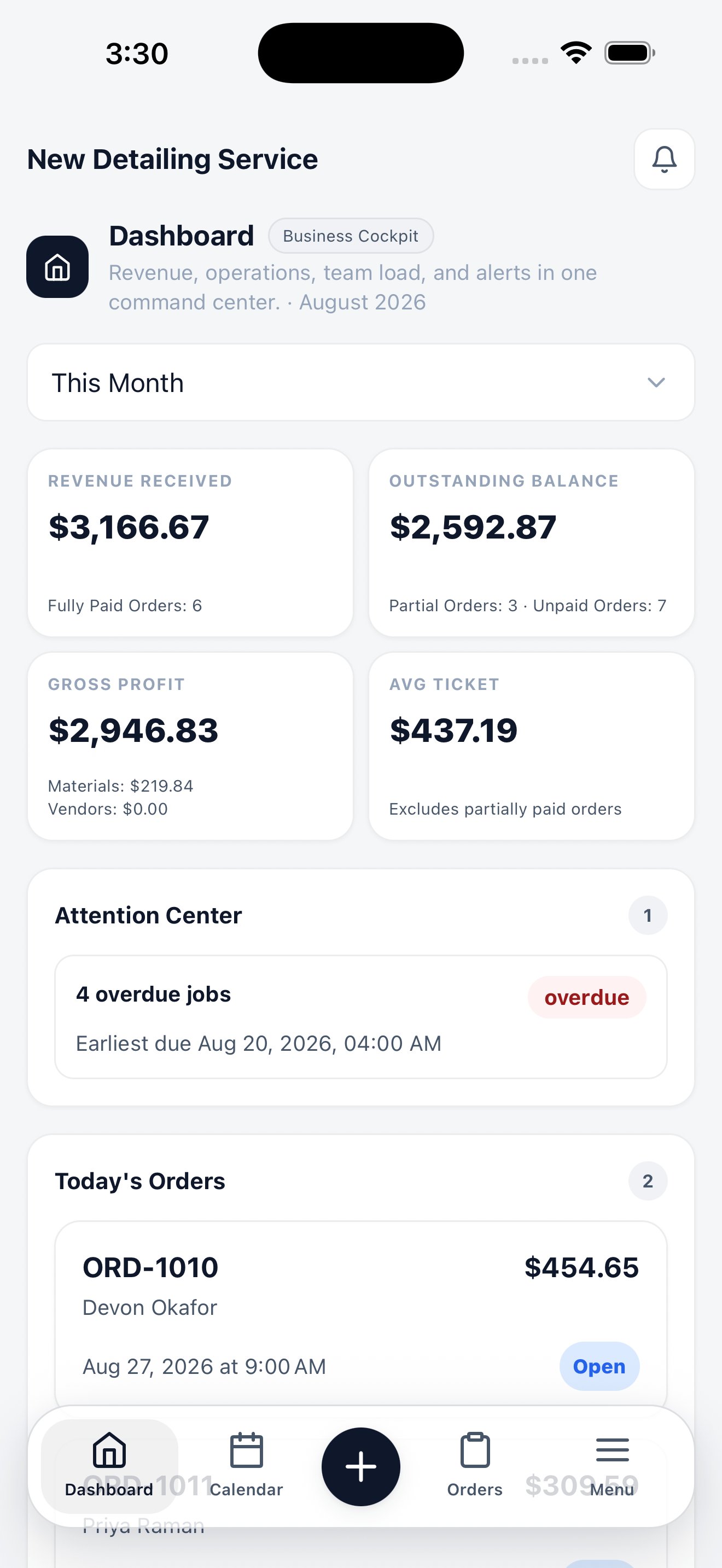
The dashboard opens straight into Business Cockpit.
How the app is organized
Five controls at the bottom of the screen carry the whole app:
Dashboard, Calendar, and Orders are the three screens a technician touches all day, so they get permanent slots. Menu holds the rest of the workspace.
What runs on the phone
Almost everything. These modules have their own screens in the app, not a web page in a wrapper:Orders
Browse, filter, create, update, and collect payment on orders.
Calendar
Month, week, and day scheduling with shift and status filters.
Customers & vehicles
Full customer and vehicle records, with VIN and plate scanning.
Quotes & leads
Build quotes, convert them to orders, and work incoming leads.
Catalog
Services and pricing, inventory levels, and membership plans.
Vendors & expenses
Subcontractors, their costs, payments, and expense reports.
Insights
Generate reports by type and date range, and export them as CSV.
AI call history
Review calls the AI assistant handled, with recordings and callbacks.
Settings
Business info, staff and shifts, permissions, notifications, and billing.
Getting started
Install the app, sign in, and find your way around.
Field features that only exist on iPhone
Three workflows depend on the phone’s hardware and have no web equivalent:Tap to Pay on iPhone
Take contactless card and Apple Pay payments on the phone itself — no reader.
VIN & plate scan
Point the camera at a VIN plate or license plate to identify the vehicle.
Photo documentation
Attach before-and-after photos to the order from the camera.
My Day — the technician’s view
The dashboard adapts to the person signed in. Owners and admins land on Business Cockpit with revenue and alerts. Technicians land on My Day: their shift, their assigned jobs in scheduled order, and nothing else. A technician never has to open the order list to find their work.The mobile browser still works
Everything in the CRM remains reachable from a mobile browser, and the layout adapts to small screens. But the browser can’t reach the camera-based scanning or Tap to Pay, and it’s slower on a phone. Install the app if the person works in the field.Install the app
Auto Detailing CRM on the App Store