

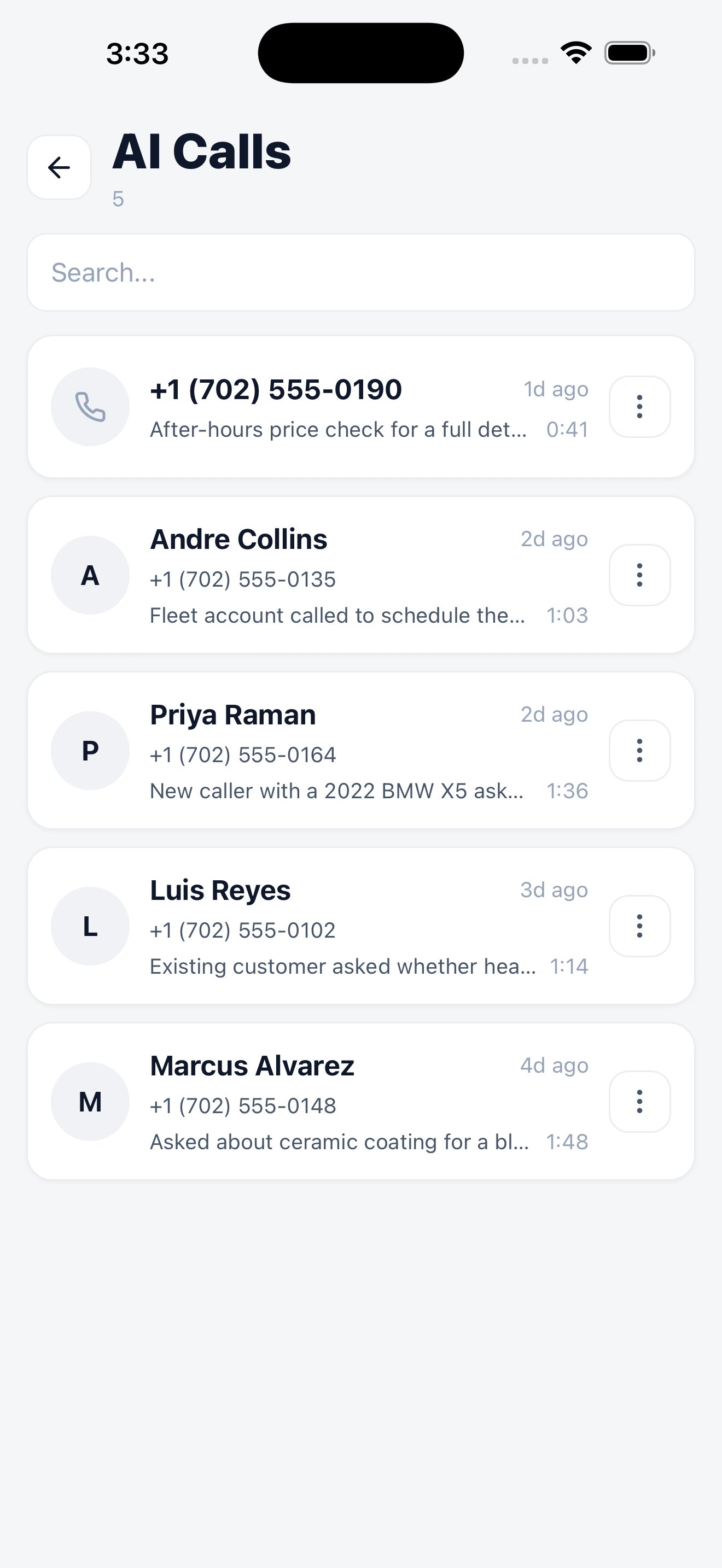
Every handled call, newest first.
The call list
Each entry shows the caller’s number, the name where the assistant matched an existing customer, a short summary of what the call was about, and how long it lasted. Search finds a call by number or name.Inside a call
Open a call to see the transcript, summary, actions taken, and recording when one was captured successfully. Very short, silent, interrupted, or failed calls may not have audio. From the call you can act on it directly. Calling back is a single action, so a missed opportunity doesn’t sit waiting for you to get to a desk.Assistant settings
The assistant itself is configured under Menu → Settings → AI Assistant — whether it’s active, which phone number it answers, how many minutes you’ve used, and a test call to hear how it sounds.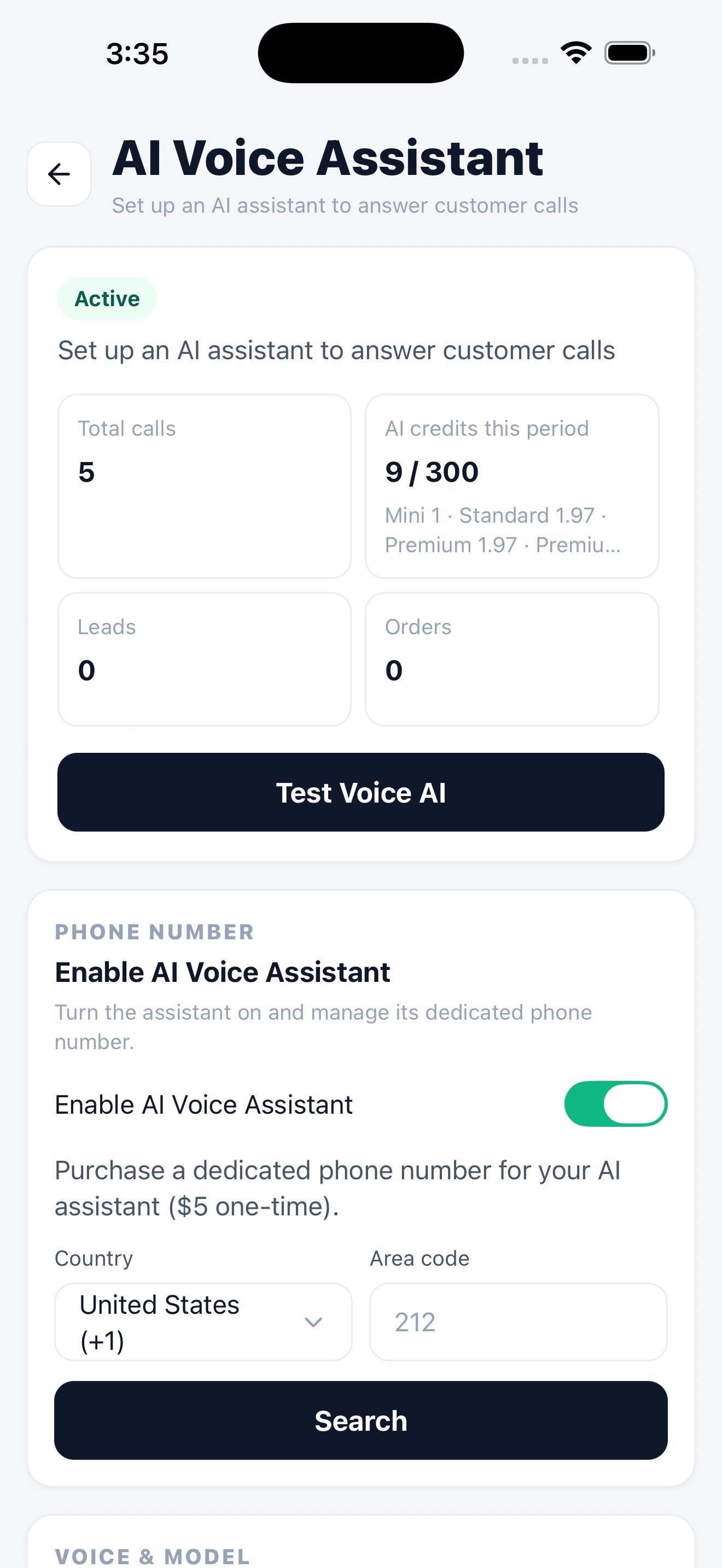
Assistant status, minute usage, and a live test.
AI assistant on the web
Setup, voice, prompts, and blocklist.
Call history on the web
Full transcripts, filtering, recordings, and call actions.
AI & call data
What’s recorded, where it’s stored, and for how long.