

When the AI is used
The AI Voice Assistant works only after you enable it and route calls to its phone number. If you do not use AI Voice, the call handling described on this page does not apply to your business.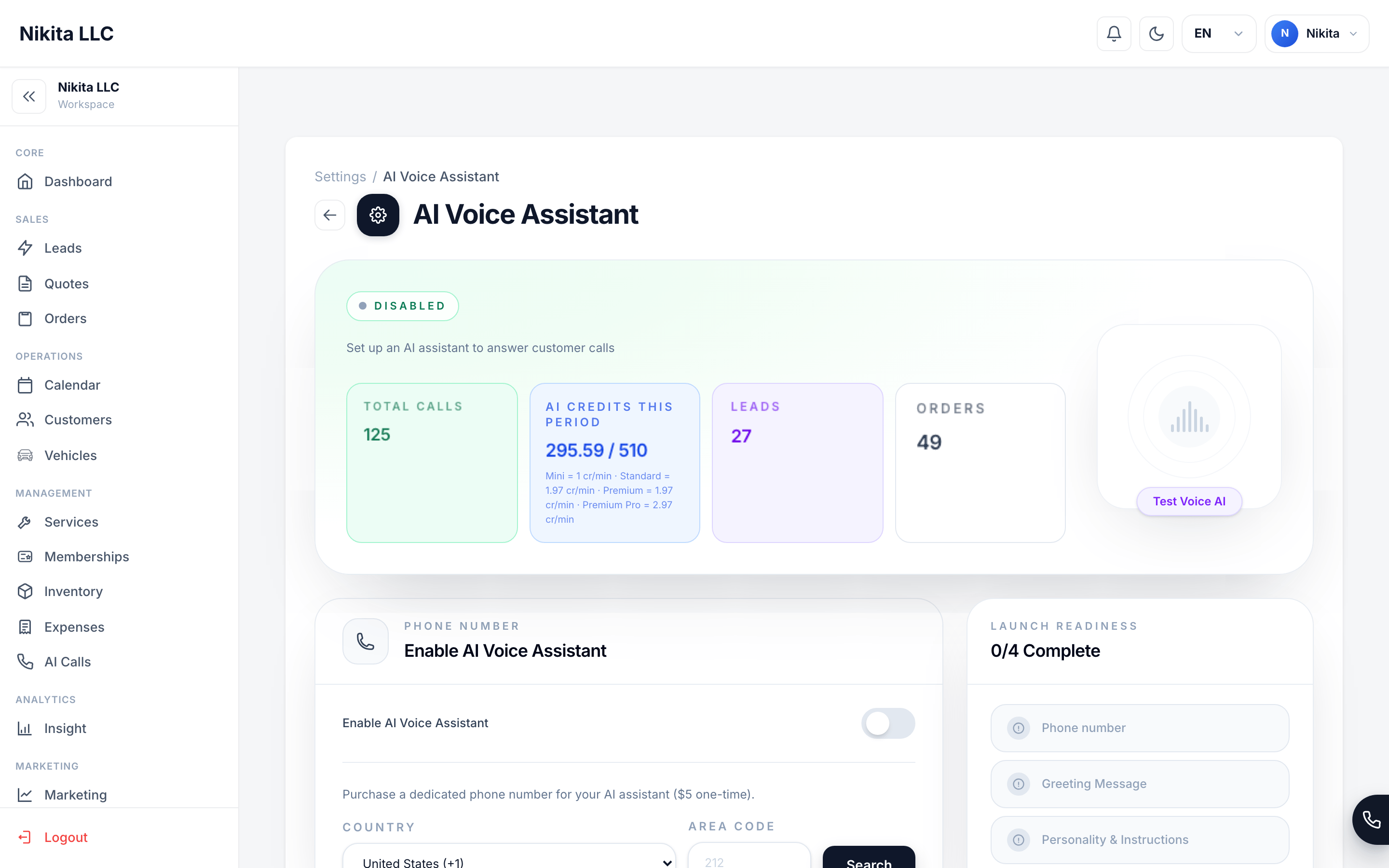
The AI Voice Assistant is off until you choose to enable it.
What information the AI uses during a call
The assistant uses information needed to understand the caller and perform the actions you enabled:- The caller’s phone number and what they say during the call.
- A matched customer’s name, phone number, and email, when the caller’s phone number matches a customer in your workspace.
- Relevant customer details, such as recent appointments and vehicles, when the caller asks about an existing appointment.
- Your business information and AI instructions, including the greeting, language, custom personality instructions, and transfer number.
- Services marked AI Sellable, including their current descriptions, prices, durations, applicable vehicle adjustments, and fees.
- Your shared Scheduling & Availability rules, including service hours, lead time, advance window, buffers, capacity, staff or resource requirements, active holds, existing appointments, and connected calendar conflicts.
What the assistant can do
You control which actions are available in Settings → AI Voice Assistant. Depending on your configuration, the assistant can:- Look up services and customers.
- Check appointment availability.
- Create a lead or appointment request.
- Update or cancel an existing appointment.
- Send a text message to the caller’s own phone number.
- Transfer the caller to your team.
How AI booking is controlled
The AI Voice Assistant uses the same availability engine as Online Booking. It cannot create an appointment from free-form instructions alone. Before an appointment request is saved, the booking system checks the selected services, current catalog pricing, service duration, Business Hours, lead time, buffers, required staff or resources, existing appointments, temporary holds, and connected calendar conflicts. The system checks these rules again when the request is submitted.- Create order reserves the selected time and creates an order with Pending review status.
- Create lead records the caller’s preferred time for follow-up, but does not reserve it.
- Your custom AI instructions can guide the conversation, but they cannot override unavailable times, capacity limits, resource requirements, or server-calculated pricing.
What is saved after a call
An AI call record can contain:
Call details and transcript entries may appear in the CRM while a call is still in progress. A transcript or recording can be incomplete or unavailable if the call is extremely short, silent, interrupted, or affected by a provider or network error.
Call recordings
When the recording service is available, AI-handled calls are set to record automatically; there is no workspace recording switch. After the telephony provider finishes a recording, the CRM copies it to CRM-managed storage and attaches it to the call record. The service then requests deletion of the provider copy. A recording may be unavailable if capture, processing, or transfer fails, and the provider may retain temporary or failed-processing data according to its own service terms.Who can see AI call history
AI call history belongs to your workspace and is isolated from other businesses. Workspace owners, administrators, and team members with permission to view AI Assistant settings can see call details, transcripts, actions, and available recordings. Authorized support personnel may access a workspace’s call information when needed to provide support, investigate a reported problem, or maintain the service. Editing and live-call controls require additional permission. See the AI Call History guide to learn how to review calls.Is my data used to train AI?
We do not use your customer data to train Auto Detailing CRM models. Your calls and customer information are used to provide the AI Voice service for your workspace. Third-party AI, telephony, and speech providers process call data to deliver that service, subject to their service terms and data-processing settings. We are documenting the exact provider-level retention and training controls and will update this page as those details are finalized.Retention, deletion, and export
AI call records remain available in your workspace while your account is active. Workspace-level automatic retention controls and individual call deletion are not currently available in the CRM. To request an export or deletion of AI call history, contact support@autodetailcrm.com. For account-level deletion, see Data & Privacy.The limits of AI
System checks reduce the risk of invalid availability, pricing, and duplicate bookings, but they do not make the conversation error-free. Pending review is a reminder that your team remains responsible for confirming the final request.AI Call History
Review calls, transcripts, summaries, recordings, and actions the AI took.
AI Assistant setup
Configure greeting, actions, and call handling.
Scheduling & Availability
Configure the hours, capacity, and conflicts used by AI booking.
Data & Privacy
Learn what the CRM stores and what controls are available to you.