> ## Documentation Index
> Fetch the complete documentation index at: https://docs.autodetailcrm.com/llms.txt
> Use this file to discover all available pages before exploring further.
# Insights on Mobile
> Generate reports by type and date range on the phone, and export them as CSV.
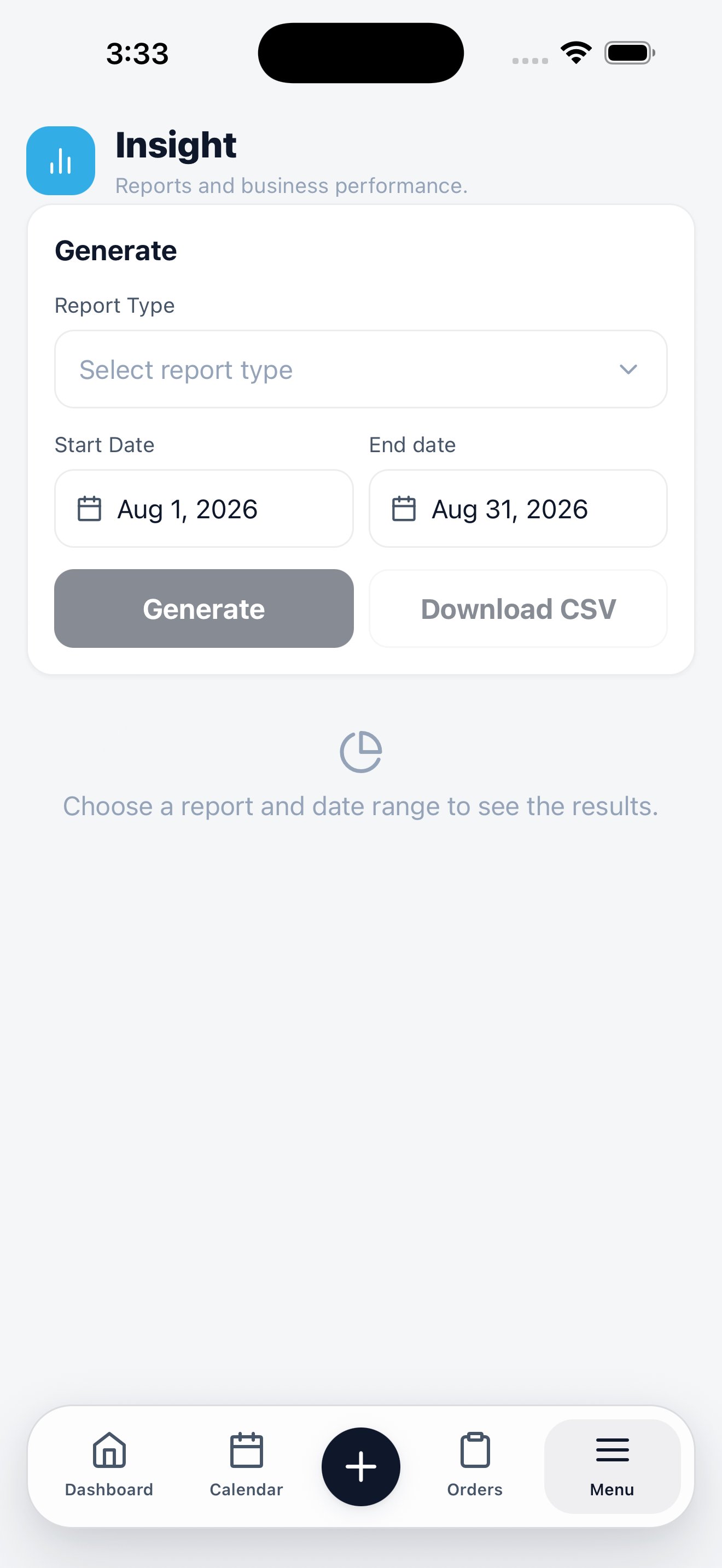
**Menu → Insight** is the reporting surface. It answers questions about a period rather than showing live counters — the dashboard already does the live view.
Pick a report type and a date range, then generate.
## Generate a report
The selector lists the reports available to your role.
Start and end dates bound the report. They default to the current period.
The report builds and displays underneath.
Export the same data if you want to work with it in a spreadsheet or hand it to a bookkeeper.
Nothing generates until you pick a type and a range — the screen stays empty on purpose rather than guessing what you meant.
## Insights or dashboard?
| Question | Where to look |
| ------------------------------------- | --------------------- |
| "What needs attention right now?" | **Dashboard** |
| "How did last month go?" | **Insight** |
| "What did we spend with this vendor?" | **Vendors → Reports** |
The full report catalogue and how each metric is calculated.