> ## Documentation Index
> Fetch the complete documentation index at: https://docs.autodetailcrm.com/llms.txt
> Use this file to discover all available pages before exploring further.
# AI Call History on Mobile
> Review the calls your AI assistant handled, play recordings, and call people back from the phone.
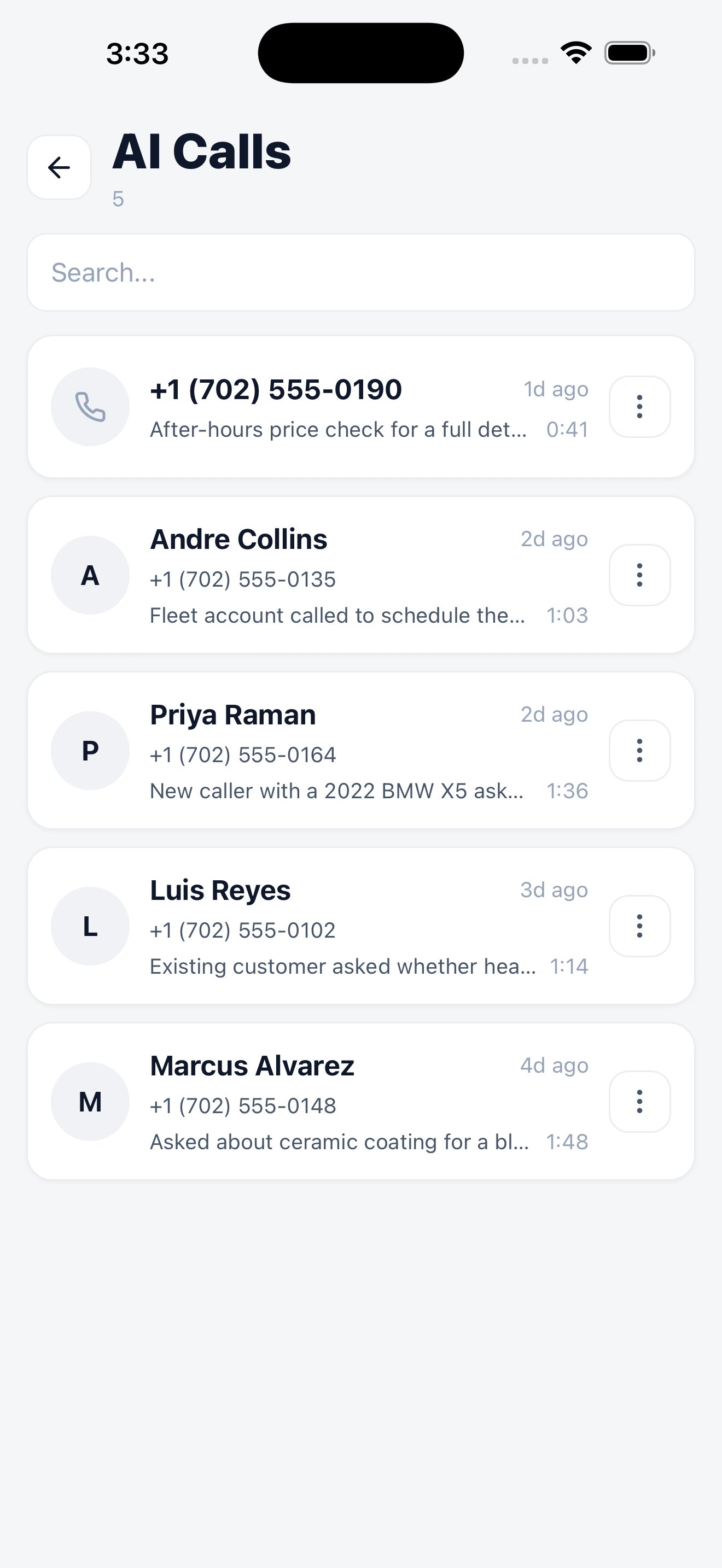
If your workspace runs the AI voice assistant, **Menu → AI Calls** is where you see what it did while you were working.
Every handled call, newest first.
## The call list
Each entry shows the caller's number, the name where the assistant matched an existing customer, a short summary of what the call was about, and how long it lasted. Search finds a call by number or name.
## Inside a call
Open a call to get the detail: the recording with playback, the transcript, and what the assistant did as a result — booked a job, captured a lead, or took a message.
From the call you can act on it directly. Calling back is a single action, so a missed opportunity doesn't sit waiting for you to get to a desk.
## Assistant settings
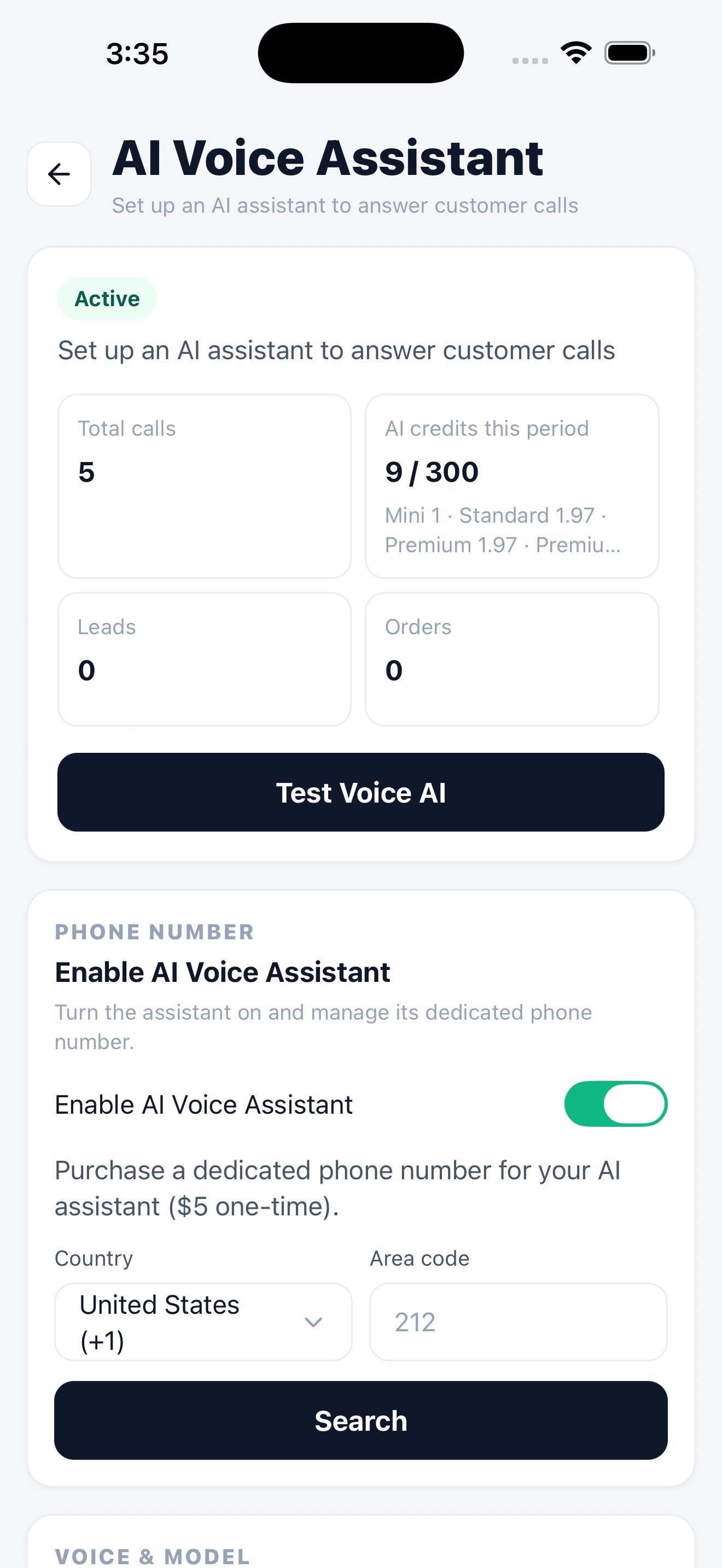
The assistant itself is configured under **Menu → Settings → AI Assistant** — whether it's active, which phone number it answers, how many minutes you've used, and a test call to hear how it sounds.
Assistant status, minute usage, and a live test.
Setup, voice, prompts, and blocklist.
Full transcripts, filtering, and export.
What's recorded, where it's stored, and for how long.